TL;DR
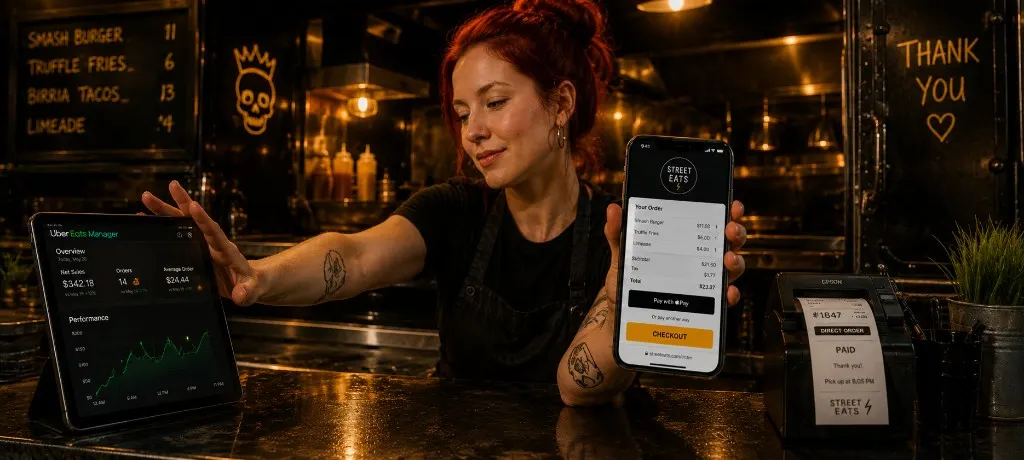
Run three layers: a branded direct link with a window QR, capped pre-orders with labeled pickup slots for event nights, and weekly location SMS to your owned list. Stay on marketplace apps for discovery. Stop letting them be the only reorder path. Tape the QR at the window, match your top sellers on the direct menu, cap brewery nights before you post the link, and text your spot by 11:00 AM on truck days.
A food truck doing $3,200 on a brewery Saturday is not a 40-seat restaurant with a host stand. Tickets are thinner. The location changes every week. The line either moves or it does not. Most online ordering advice assumes a dining room. You have a window and a parking lot.
The best food truck online ordering system is not a separate app customers have to download. It is a branded link, a QR at the window, capped pre-orders for event nights, and location texts to a list you actually own. This guide covers the stack, the setup, and the mistakes that kill pre-order trust before you park.
Before you tape a QR anywhere, run your fee math. A $18 average ticket at 25% commission is $4.50 per order gone before food cost and fuel. Slide your real numbers below.
Why Food Trucks Need a Different Ordering Stack Than Sit-Down Restaurants
Thin tickets, fat commissions
A sit-down spot running $38 tickets can absorb a marketplace fee and still breathe. A taco truck at $16 feels every point. Percent-based commission on mobile food is brutal because your menu is priced for speed, not table service. Direct ordering at a flat per-order cost changes the math on bowl twelve, not just bowl one hundred.
No fixed address, same customers every week
You are not invisible on Google just because you move. But your ordering system has to answer a question brick-and-mortar software ignores: where are you parked today? The stack below handles weekly spot changes, event pre-orders, and repeat regulars who follow the truck, not the building. For map visibility, pair this with the local SEO playbook when it goes live.
The Three-Part Food Truck Ordering Stack
1. Branded link + window QR
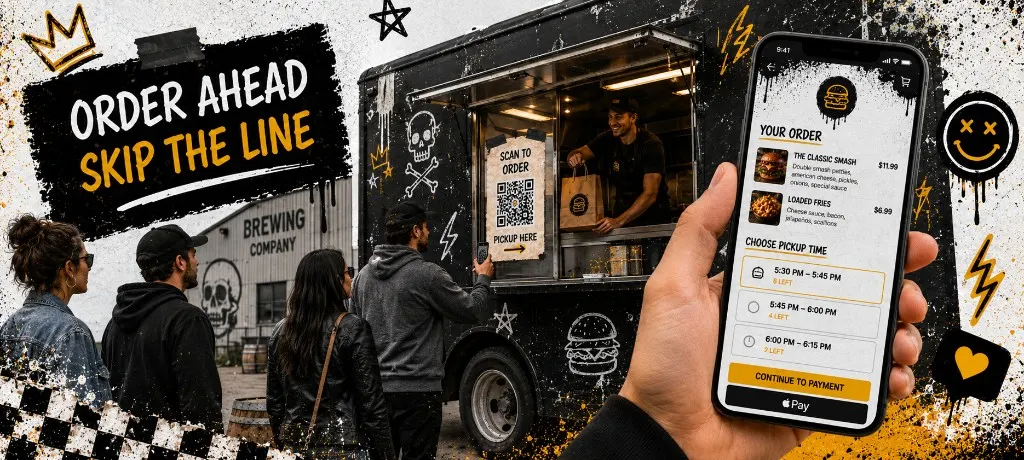
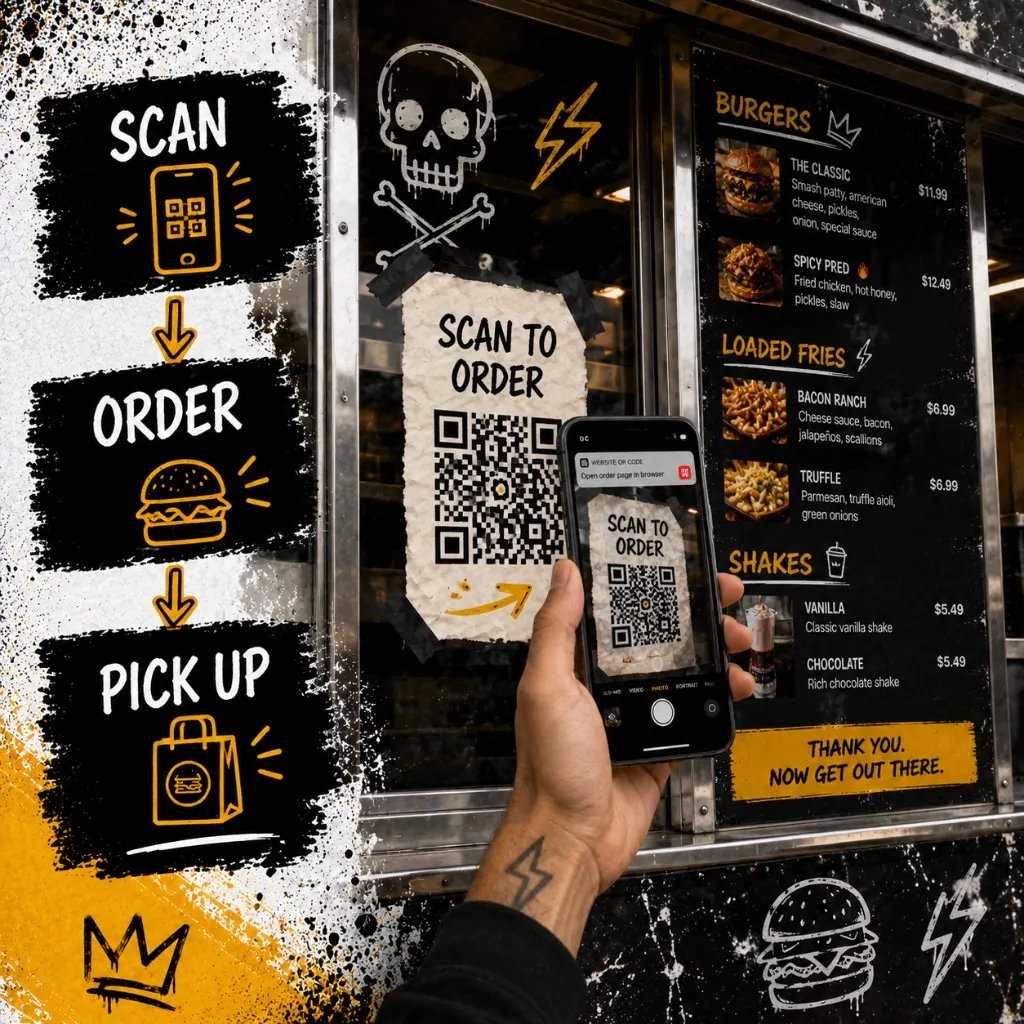
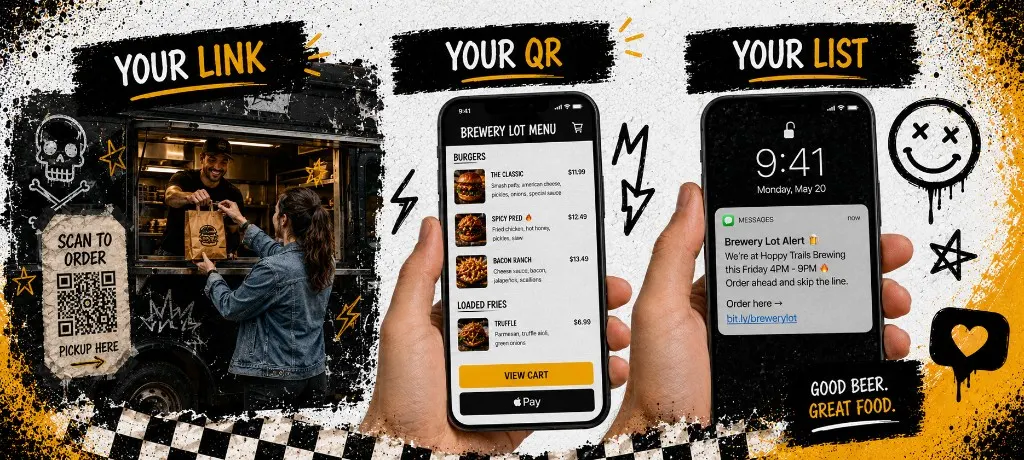
One URL you control. Tape it at the window, print it on receipts, drop it in your Instagram bio. Guests scan and land on your menu with checkout built in. No PDF menu that sends them back to a marketplace. The QR-to-PDF era is over for operators who want reorders on a channel they own.
2. Event pre-orders with hard caps
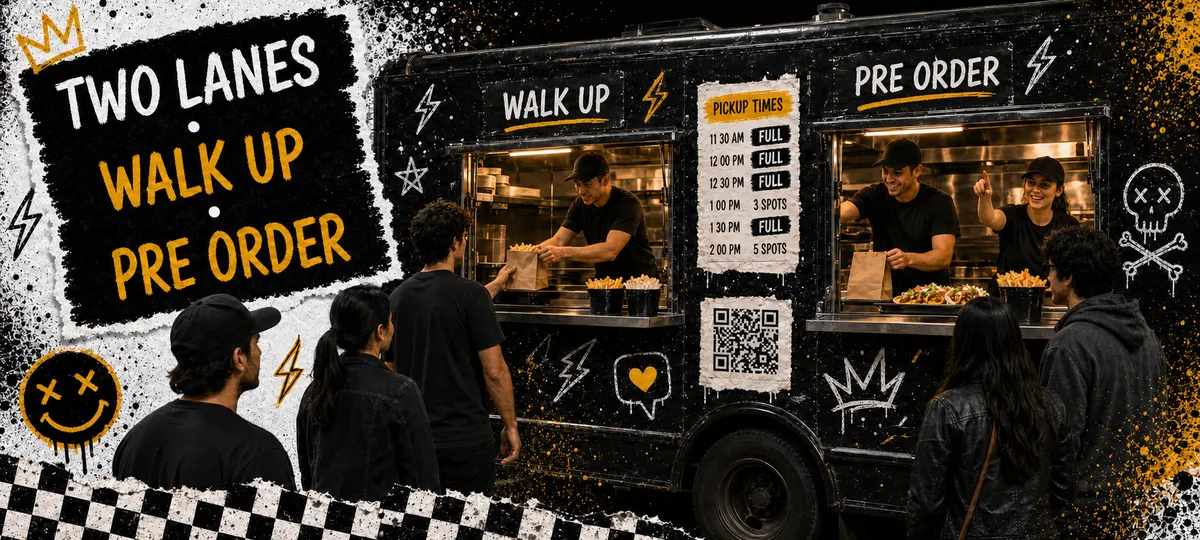
Brewery nights and festival lots need order-ahead with a ceiling. Open pre-orders without a cap and you will post sold out while tickets still print. Cap total orders, split into pickup windows, and close slots in checkout when they fill. The event pre-order guide goes deeper on kitchen math. This post focuses on the truck-specific setup.
3. Weekly location SMS to your owned list
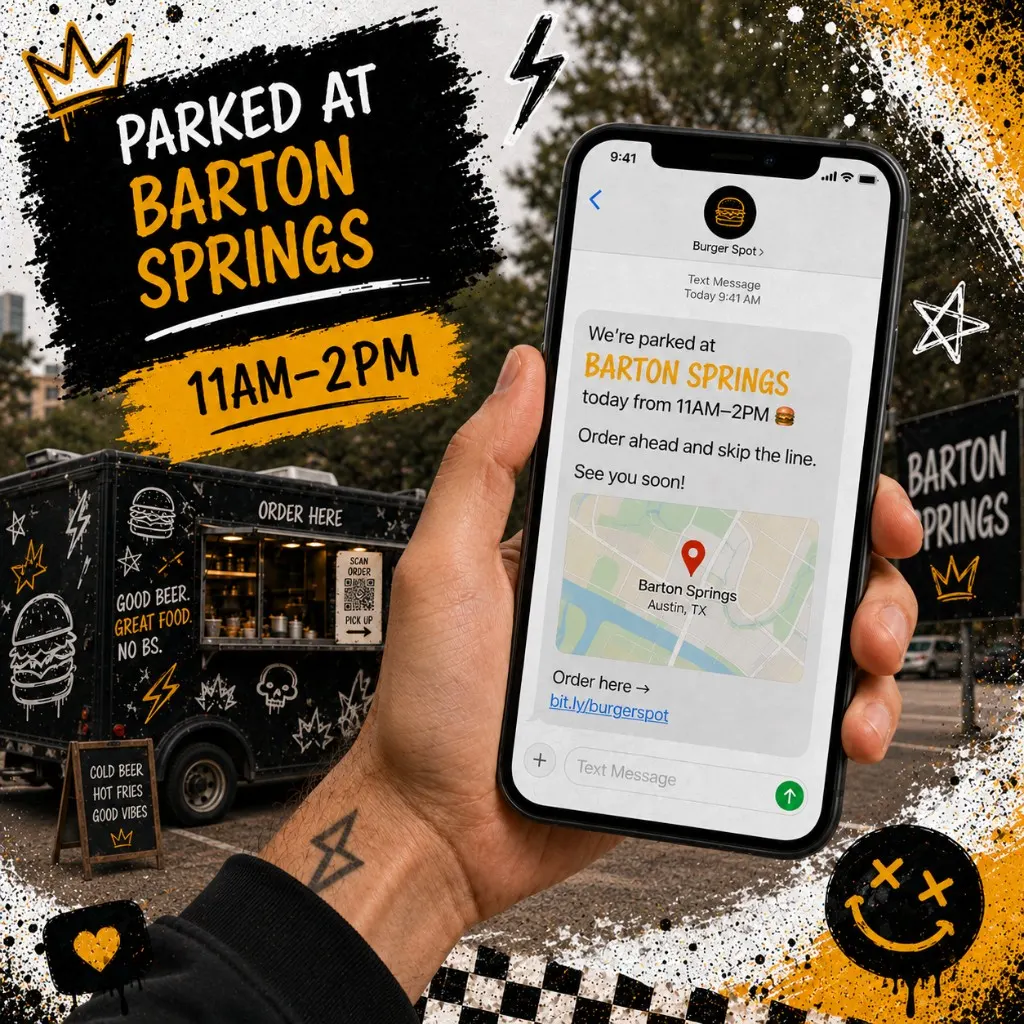
Marketplace apps will not text your regulars where you are parked Tuesday. Your owned list will, if you captured opt-ins at checkout. Monday: confirm the lot. Tuesday morning: send location + order link. Day-of: one reminder before the lunch rush. Build the list first with the first-party data guide, then follow SMS compliance and send timing.
Build your pickup windows before you publish the event link. Fixed 20-minute slots with a hard order count per slot keeps the expo line readable. Use the builder below, copy the slot list, and tape it at the window.
Setting Up QR Ordering at the Window (15-Minute Checklist)
- Create your branded ordering link. Same menu names and prices as your board. Mismatches create arguments at the window.
- Generate a QR code pointing to that link. Test it from the parking lot on LTE, not your kitchen Wi-Fi.
- Tape the QR at eye level on the service window where the line forms. Add a one-line sign: "Order ahead, skip the line."
- Enable contact capture at checkout so every direct order grows your SMS list with proper opt-in.
- Train one line person to say: "Scan to order or we can take you here." Say it once, not ten times.
- Run one test order end to end before the rush. Fix anything slow before guests arrive.
Event Day Without a Meltdown (Caps, Labels, Cutoffs)
A brewery night that sells 80 pre-orders when your two-person line can fire 55 in three hours is a bad night waiting to happen. Cap before you promote. Close the menu in checkout when you hit 80% of capacity, not when the line is already angry.
- Label every bag: last name, pickup window, item count
- Stage bags by window on a shelf, not mixed in the hot well
- Assign one person to close filled slots in the online menu in real time
- Post a simple sign: "Pre-order pickup → have your name and time ready"
- When a window hits cap, remove it from checkout before arguing with the 40th guest
Your regulars need to know where you are before they can pre-order. Pick your truck day and copy a location SMS below. Swap the bracketed fields, send by 11:00 AM, and watch pre-orders land before you finish setup.
Weekly Location Announcements That Actually Drive Pre-Orders
Random Instagram stories do not replace a predictable cadence. Operators who fill brewery lots early run the same loop every week: Monday confirm the lot with the venue, Tuesday morning text the owned list with lot + hours + order link, day-of one reminder at 10:30 AM if you open at 11:00. Fold spot updates into your 30-minute weekly marketing routine.
Text only opted-in contacts. Include STOP language where your state requires it. Log which link you sent so next week you know what drove orders. Marketplace apps never give you that data on the guests who already love your food.
Five Mistakes That Kill Food Truck Pre-Orders
- QR points to a PDF menu with no checkout. Guests scan, read, and still stand in line. Give them a path to pay.
- No cap on event pre-orders. You post sold out at 12:30 with 40 tickets still firing. Cap before you promote.
- Pickup slots that do not match reality. Checkout accepts 11:20 pickups when the board closed that window 10 minutes ago. Close slots in the system first.
- Requiring an app download. Nobody installs an app for a truck they visit twice a month. Web checkout wins.
- Staying on marketplace apps as the only reorder path. Keep apps for discovery. Move repeats to your link. The migration playbook covers the dual-run strategy without tanking a week of sales.
Measuring What Works (Three Numbers)
- Pre-order percentage: What share of event night revenue came through order-ahead vs walk-up? Target 40%+ once your QR and SMS cadence are live.
- Direct reorder rate: How many guests order twice on your link within 30 days? Rising reorders mean the stack is sticking.
- SMS click-to-order: Track clicks on your location text link. Under 5% means weak timing or a broken checkout path. Fix checkout before sending more texts.
Pair direct ordering with a loyalty program so truck regulars earn rewards on every scan, not just every app order you do not control.
Templates
Common questions about food truck online ordering
The best food truck ordering system is boring on purpose. Same link every week. QR at the window. Capped pre-orders on event nights. Location SMS to people who already opted in. Set it up once, run the cadence every week, and stop paying marketplace rent on guests who would have scanned a code.
QR ordering built for trucks that move
Outbites gives food trucks a branded ordering link, checkout contact capture, pickup slots, and SMS tools in one stack. No app download. No monthly fee. $1 per fulfilled order.
Start with Outbites
Katie Carswell
Account & Social Media Manager
Sharing firsthand stories and lessons learned from running an independent restaurant: margins, marketing, and owning your customer relationships.
How this guide was put together
This article was written for independent food businesses looking for practical ways to grow direct orders, repeat visits, and customer relationships. We keep the advice operator-focused, avoid generic playbooks, and update posts when the restaurant marketing landscape changes.